Staging preview — not published. Nothing on the live site links here and the page asks search engines not to index it. Flip TRAKWIND_LAUNCHED in trakwind.flags.ts once the 12.6.0 Play release is confirmed.
Read the barcodes other scanners can’t.
TRAKWIND Scan is the barcode and QR engine we wrote ourselves. It reads all 13 formats the keyboard already supported, and 13 more that the standard scanning engine does not read at all — the DataBar sticker on a tray of mince, the bullseye on a UPS label, the Micro QR on a circuit board.
- 26
- formats read
- 13
- the standard engine can’t
- 0
- bytes leave the phone
In the app it is a choice, not a replacement. Settings → Scanning engine: the standard engine, which stays the default, or TRAKWIND Scan.
A symbology is just the name for a type of barcode
Most people know two of them: the striped EAN or UPC on a retail product, and the QR code on a poster. There are dozens more, and which one is printed on a label was decided by whoever designed that label — not by you, and not by the app you have to type the number into.
That matters the moment your job involves a format your scanner never learned. A phone that reads 13 formats is not much help in front of a shelf label, a pharmacy vial or a parcel from a carrier whose codes it has never seen.
Symbologies
26 formats, 13 of them new
Everything the keyboard read before, it still reads. What TRAKWIND Scan adds is the second half of this list — the codes that make people go out and buy a dedicated scanner.
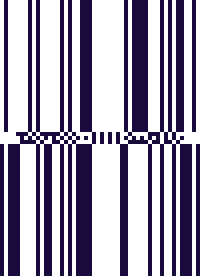
GS1 DataBar
NewOmnidirectional, Truncated, Stacked, Stacked Omnidirectional
The little sticker on loose apples and on a tray of mince. Carries GS1 data such as weight, batch and expiry.
What it is, and how to scan it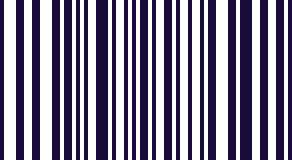
DataBar Limited
NewSmall retail packs, where a full-height DataBar has nowhere to fit.
What it is, and how to scan it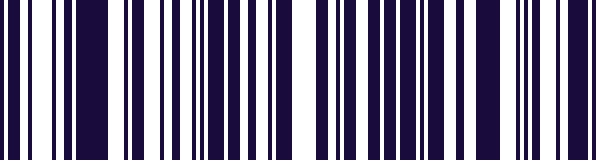
DataBar Expanded
NewCoupons, and variable-weight meat and fish, with the extra GS1 fields printed into the code itself.
What it is, and how to scan it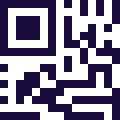
Micro QR
NewA QR too small to be a QR: a pad on a circuit board, the flank of a component.
What it is, and how to scan it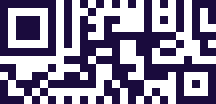
rMQR
Newrectangular Micro QR
Long, narrow labels — a cable tag, a thin strip down the side of a module.
What it is, and how to scan it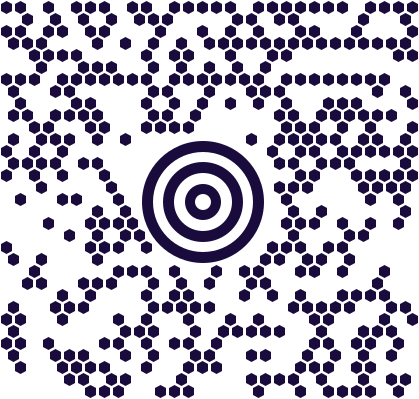
MaxiCode
NewThe bullseye-and-honeycomb block on a UPS parcel label.
What it is, and how to scan it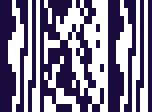
MicroPDF417
NewSmall labels in pharma and healthcare: a vial, a blister strip, a sample tube.

DotCode
NewPrinted at high speed on cigarette packs, pharma cartons and beverage packaging. The format behind tobacco track & trace.
MSI Plessey
NewShelf-edge labels and warehouse bin labels.

USPS Intelligent Mail
NewThe 4-state bars along the bottom of US mail.

Royal Mail 4-state
NewRM4SCC
UK mail and parcel labels.

PostNL KIX
NewDutch mail.

Australia Post 4-state
NewAustralian mail and parcels.
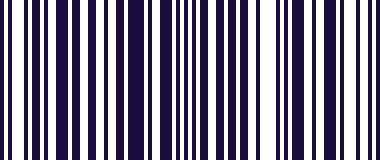
EAN-13
The barcode on nearly every retail product in Europe.
What it is, and how to scan it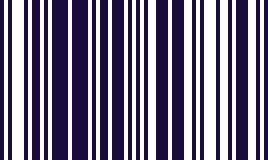
EAN-8
The short EAN, for packs too small to carry the full one.
What it is, and how to scan it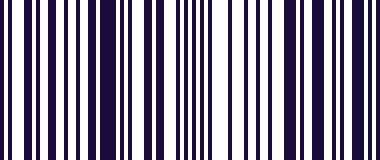
UPC-A
The North American retail barcode.
What it is, and how to scan it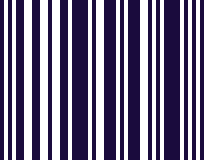
UPC-E
The compressed UPC, on small retail packs.
What it is, and how to scan it
Code 128
incl. GS1-128
Logistics and shipping labels. The GS1-128 variant carries the GS1 fields.
What it is, and how to scan it
Code 39
Older industrial, automotive and defence labelling.
What it is, and how to scan it
Code 93
A denser Code 39, used in logistics.
What it is, and how to scan it
Codabar
Blood bags, film canisters and library books.
What it is, and how to scan it
ITF
Outer cases and cartons, printed straight onto corrugated board.
What it is, and how to scan it
QR Code
Everywhere: posters, payments, asset tags, Wi-Fi handover.
What it is, and how to scan it
Data Matrix
Small-part marking, electronics and medical devices.
What it is, and how to scan it
PDF417
Driving licences, boarding passes and ID documents.
What it is, and how to scan it
Aztec
Train and transit tickets.
What it is, and how to scan itMSI Plessey, MicroPDF417, DotCode and the postal codes are available, and off until you switch them on. They live under the same Scanning engine screen — enable the ones you need and leave the rest alone.
A DataBar on a tray of mince is not just a number: it carries the weight, the batch and the expiry date. TRAKWIND Scan decodes it, and the app’s GS1 panel shows those fields the same way it already does for GS1-128.
What TRAKWIND Scan is
A barcode and QR decoding engine that SKILLO built from scratch in C++. No borrowed decoder, no third-party scanning SDK — the decoder is our own code, which is why we can add a format when a customer needs one instead of waiting for someone else to.
It runs entirely on the phone. Nothing is sent to a server, the camera frames never leave the device, and the engine never logs what it decoded. A scan of a patient label or a serial number is read, typed into your field, and gone.
And it is optional. The keyboard ships with its standard scanning engine selected, as before. Switching to TRAKWIND Scan is one tap in settings, and switching back is the same tap.
Beyond the format list
The awkward scans
Formats are the headline. Most of the engine, though, went into labels that are perfectly ordinary to a human and hard for a decoder.
Light codes on dark surfaces
A Data Matrix laser-marked into black plastic is pale marking on a dark body — the reverse of what a decoder expects. TRAKWIND Scan reads it either way round, so the housing of a pump, a connector or a tool does not have to be relabelled to be scannable.
Any rotation, and steep angles
You do not have to square up to the label. A QR upside down, a Data Matrix at 40°, a PDF417 read across a curved pallet wrap, a MaxiCode on a parcel lying at an angle on the belt — all of it decodes without you walking round the box.
Built for the live camera
The engine was written for a video stream rather than for still images. Bring a code into view and it is usually found within the first frame or two, so the scan feels like pointing rather than like waiting.
Reading distance
Close to the standard engine’s. We are not claiming TRAKWIND Scan reads further or faster — it does not need to. What it adds is the thirteen formats above and the labels that used to need a second attempt.
For businesses
For IT admins rolling this out
A fleet does not want an engine chosen handset by handset. The engine and the extra format list can be set centrally and locked, so every device in the fleet reads the same codes.
MDM managed configuration
Through Intune or any other EMM that supports Android managed configurations. Set the engine and the format list in your usual app-configuration policy and push it with the app.
- scanEngine
- trakwindReadFormats
Cloud configuration
For fleets without MDM, including BYOD: set the same two things in our dashboard and the devices pick the configuration up. No enrolment, no profile on a personal phone.
Nothing downstream changes
TRAKWIND Scan replaces the decoder and only the decoder. Every scan still flows into the features you already use, unchanged:
Keyboard input — the value is typed into whatever field you are in Scan history Lookup The GS1 parser and its data panel
Availability
- TRAKWIND Scan ships in version 12.6.0 of Barcode & QR Scanner Keyboard, on Google Play.
- Free for users. No licence, no extra purchase, no separate download — it is in the app and you choose it in settings.
- App editions: to be confirmed before launch. Nikola will confirm which editions of the app get the engine, and this line says which.
On request
TRAKWIND Scan beyond the keyboard
The engine’s core is portable C++, which means the keyboard is one place it can run rather than the only one. None of the following is a shipping product today. Each is something we can build, and would like to build with a first customer who needs it.
On the web, through WebAssembly
A browser build is possible: scanning would run inside a web page, on the visitor’s own device, with no app to install and no round trip to a server. We build it for the first customer who needs it — talk to us.
Web check-in, warehouse web apps, e-commerce returns, field-service portals.
On iOS
The same core can be packaged for iPhone and iPad apps. Available on request.
As an SDK in your own app
If your own Android app needs these formats, we can talk about embedding the engine in it. It is not a public product yet, so this starts as a conversation rather than a download.
Need TRAKWIND Scan on the web, on iOS or inside your own app?
Tell us which formats you have to read and where you have to read them, and we will tell you honestly what it takes.
Talk to usQuestions
Frequently asked questions
Which barcode formats can an Android phone read?
With the keyboard’s standard engine, 13: EAN-13, EAN-8, UPC-A, UPC-E, Code 128, Code 39, Code 93, Codabar, ITF, QR Code, Data Matrix, PDF417 and Aztec. Switch the engine to TRAKWIND Scan and the same phone reads 26, adding GS1 DataBar, DataBar Limited, DataBar Expanded, Micro QR, rMQR, MaxiCode, MicroPDF417, DotCode, MSI Plessey and four 4-state postal codes.
Can a phone scan GS1 DataBar?
Yes, with TRAKWIND Scan selected. It reads DataBar Omnidirectional, Truncated, Stacked and Stacked Omnidirectional, plus DataBar Limited and DataBar Expanded. Because these codes carry GS1 data rather than a plain number, the app’s GS1 panel also breaks out the fields they contain, such as weight, batch and expiry.
Is there an Android app that reads DotCode?
TRAKWIND Scan reads DotCode, the format printed at high speed on cigarette packs, pharma cartons and beverage packaging, and the one behind tobacco track & trace. DotCode is off by default — turn it on under Settings → Scanning engine.
What is a Micro QR code, and where would I meet one?
A Micro QR is a QR code shrunk down for places a full QR will not fit — a pad on a circuit board, the flank of a component. rMQR is its rectangular cousin, for long narrow labels such as cable tags. TRAKWIND Scan reads both.
Does TRAKWIND Scan send my scans anywhere?
No. The engine runs entirely on the phone. Camera frames never leave the device, nothing goes to a server, and the engine does not log what it decoded.
Does TRAKWIND Scan cost anything?
No. It is free for users — no licence, no extra purchase and no separate download. It is in the app from version 12.6.0 and you select it in settings.
Can I set the engine centrally across a fleet of devices?
Yes. The engine and the extra format list can be set and locked through MDM managed configuration — Intune or any other EMM supporting Android managed configurations — using the keys scanEngine and trakwindReadFormats. For fleets without MDM, including BYOD, the same two settings can be pushed from the cloud configuration in our dashboard.
Do I lose anything by switching engines?
No. TRAKWIND Scan reads every format the standard engine reads, and the scan still flows into keyboard input, history, lookup and the GS1 parser exactly as before. Switching back is the same single tap in settings.
Can’t find your symbology?
The engine is our own code, so adding a format is work we can actually do. Tell us which one you are stuck on and where it is printed.
Ask us for a formatOne name, across more than the keyboard
TRAKWIND is also where our other products are heading. From the beginning of 2027, FleetKO becomes TRAKWIND Fleet and ZentiKO becomes TRAKWIND Field — three products under one name, with TRAKWIND Scan the engine inside them.
The engine on this page is the same engine that will sit behind the scanning in both of them, so a code that reads in the keyboard reads in the field app and in the fleet app too.
Try it on the label that has been beating you
Install the keyboard, switch the engine to TRAKWIND Scan in settings, and point it at the one code you could never scan with a phone.