Staging preview — not published. This page describes a format TRAKWIND Scan reads, so it stays unindexed until the release is confirmed.
MaxiCode
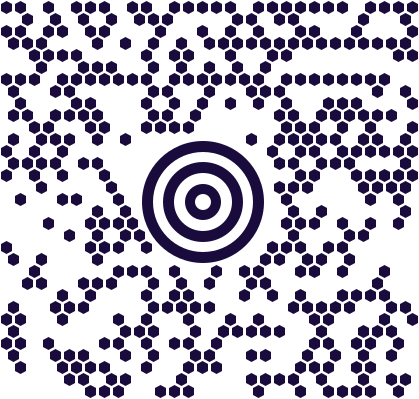
The bullseye-and-honeycomb block on a parcel label.
- Type
- Matrix (2D)
- Shape
- Fixed size, hexagonal modules around a central bullseye
- Encodes
- Structured carrier data, including routing and destination
- Built for
- High-speed parcel sorting
MaxiCode is unmistakable once you know it: a circular bullseye surrounded by a field of hexagons rather than squares. Both choices are about speed. The bullseye can be located by a sorting system almost instantly and from any rotation, and the symbol is a fixed physical size, so the reading equipment never has to adapt.
It was developed for parcel sorting, and that is still where it lives — on the label of a package moving through a hub at speed. The data it carries is structured for carriers: routing information and destination details that let a parcel be sorted without a lookup.
Because it was designed for fixed industrial scanners rather than handheld use, phone support has always been rare — which is a problem the moment somebody in a warehouse needs to read one off an inbound parcel.
Where you meet it
The bullseye-and-honeycomb block on a UPS parcel label.
Can a phone scan a MaxiCode?
Almost no phone scanning app reads MaxiCode. TRAKWIND Scan does, and handles it at an angle — a parcel lying skewed on a belt or a bench decodes without squaring up to it first.
How to scan it with your phone
- 1
Install Barcode & QR Scanner Keyboard from Google Play and enable it as a keyboard.
- 2
Open Settings → Scanning engine and choose TRAKWIND Scan.
- 3
Tap the barcode key on the keyboard and point the camera at the code.
The value is typed into whatever field you were already in — a spreadsheet, an ERP screen, a web form. There is nothing to integrate.


Read it with the phone in your pocket
Free on Google Play. No licence, no extra hardware, and nothing to connect.