Staging preview — not published. This page describes a format TRAKWIND Scan reads, so it stays unindexed until the release is confirmed.
MicroPDF417
PDF417 compressed for labels the size of a vial.
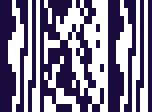
- Type
- Stacked linear, commonly grouped with 2D
- Relation
- A compact variant of PDF417
- Often used as
- The 2D component of a GS1 Composite symbol
- Off by default
- Enable it under Settings → Scanning engine
PDF417 carries a lot, but it needs room — which is why you meet it on a driving licence or a boarding pass rather than on a medicine vial. MicroPDF417 keeps the stacked structure and strips the overhead, producing a symbol small enough for labels where there is barely any flat surface at all.
That puts it squarely in pharmacy and healthcare: a vial, a blister strip, a sample tube, a unit-dose pack. It also appears as the 2D half of a GS1 Composite symbol, sitting directly above a linear code so that one label can carry both a plain product number and the extra data a hospital or pharmacy needs.
For anyone checking batches or expiry dates at the point of care, it is often the only code on the item that carries the detail.
Where you meet it
Small labels in pharma and healthcare: a vial, a blister strip, a sample tube.
Can a phone scan MicroPDF417?
With TRAKWIND Scan selected, yes. It is one of the formats that ships switched off, so enable it under Settings → Scanning engine along with any others you need.
How to scan it with your phone
- 1
Install Barcode & QR Scanner Keyboard from Google Play and enable it as a keyboard.
- 2
Open Settings → Scanning engine and choose TRAKWIND Scan.
- 3
Tap the barcode key on the keyboard and point the camera at the code.
This format ships switched off. Turn it on in the same Scanning engine screen before you scan.
The value is typed into whatever field you were already in — a spreadsheet, an ERP screen, a web form. There is nothing to integrate.
Related formats



Read it with the phone in your pocket
Free on Google Play. No licence, no extra hardware, and nothing to connect.