PDF417
The dense block on an identity document or a boarding pass.

- Type
- Stacked linear, usually grouped with 2D
- Structure
- Multiple rows of linear code, read as one symbol
- Capacity
- High — enough for a record rather than a reference
- Standard
- ISO/IEC 15438
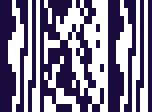
PDF417 stacks rows of linear code on top of each other and treats the result as one symbol. Each row carries markers telling the scanner where it sits, so the rows can be read in any order and reassembled — which means a scan can succeed even when part of the symbol is read imperfectly.
The capacity is what distinguishes it. Where most barcodes carry a reference to a record held elsewhere, PDF417 can carry the record: a name, an address, dates, document numbers. That is precisely why identity documents use it, and why a boarding pass still works when the airline’s systems cannot be reached.
The trade is size. It needs considerably more room than a Data Matrix holding the same data, which is why you find it on a licence or a ticket rather than on a component.
Where you meet it
Driving licences, boarding passes and ID documents.
Can a phone scan PDF417?
Yes, as standard. The keyboard decodes it and types the contents into the field you are in.
How to scan it with your phone
- 1
Install Barcode & QR Scanner Keyboard from Google Play and enable it as a keyboard.
- 2
Open Settings → Scanning engine and choose TRAKWIND Scan.
- 3
Tap the barcode key on the keyboard and point the camera at the code.
The value is typed into whatever field you were already in — a spreadsheet, an ERP screen, a web form. There is nothing to integrate.


Read it with the phone in your pocket
Free on Google Play. No licence, no extra hardware, and nothing to connect.