Code 93
Code 39 rewritten to be smaller and safer, a decade later.
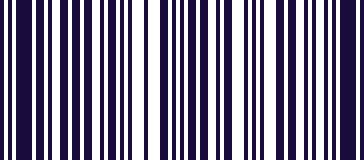
- Type
- Linear (1D)
- Encodes
- The full ASCII set, using shift characters
- Check characters
- Two, rather than one
- Compared to Code 39
- Noticeably denser for the same data
Code 93 was designed to fix the two things people disliked about Code 39: it was wide, and it could only handle uppercase. The newer format packs the same information into less space and reaches the full ASCII set through shift characters.
It also carries two check characters instead of one, which makes an undetected misread substantially less likely — the reason it found favour in applications where a wrong read has consequences rather than merely being inconvenient.
It never displaced Code 39 in the way it might have, largely because Code 128 arrived soon after and did the same job better. Where you do meet it, it is usually in logistics and in systems that adopted it in that window.
Where you meet it
A denser Code 39, used in logistics.
Can a phone scan Code 93?
Yes, as standard, with nothing to turn on. The decoded value is typed into the field you are in.
How to scan it with your phone
- 1
Install Barcode & QR Scanner Keyboard from Google Play and enable it as a keyboard.
- 2
Open Settings → Scanning engine and choose TRAKWIND Scan.
- 3
Tap the barcode key on the keyboard and point the camera at the code.
The value is typed into whatever field you were already in — a spreadsheet, an ERP screen, a web form. There is nothing to integrate.
Read it with the phone in your pocket
Free on Google Play. No licence, no extra hardware, and nothing to connect.