Code 39
The old reliable, still printed on things that were labelled decades ago.
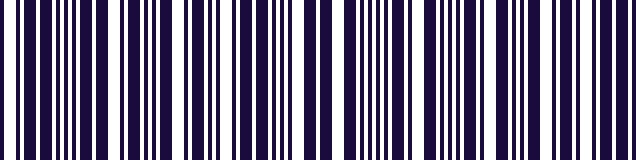
- Type
- Linear (1D)
- Encodes
- Digits, uppercase letters and a handful of symbols
- Self-checking
- Yes, so a check digit is optional
- Density
- Low — it takes more width than newer formats
Code 39 is wide, limited to uppercase, and less efficient than almost everything that came after it. It is also still everywhere, because it is simple enough that any printer can produce it and any scanner can read it, and because the systems that adopted it have no reason to change.
Its self-checking structure is the reason for the longevity. Each character is encoded so that a misread tends to produce no character at all rather than the wrong one, which made it dependable at a time when printing and scanning were both less reliable than they are now.
You meet it in industrial settings, in automotive and defence supply chains, on older asset and location labels, and in plenty of internal systems that were set up long ago and simply work.
Where you meet it
Older industrial, automotive and defence labelling.
Can a phone scan Code 39?
Yes, as standard. The keyboard reads Code 39 with no setup and types the value into whatever field you are in — useful when the labels are old but the system you are feeding is not.
How to scan it with your phone
- 1
Install Barcode & QR Scanner Keyboard from Google Play and enable it as a keyboard.
- 2
Open Settings → Scanning engine and choose TRAKWIND Scan.
- 3
Tap the barcode key on the keyboard and point the camera at the code.
The value is typed into whatever field you were already in — a spreadsheet, an ERP screen, a web form. There is nothing to integrate.
Read it with the phone in your pocket
Free on Google Play. No licence, no extra hardware, and nothing to connect.