Staging preview — not published. This page describes a format TRAKWIND Scan reads, so it stays unindexed until the release is confirmed.
MSI Plessey
A plain numeric code that never left the shelf edge.
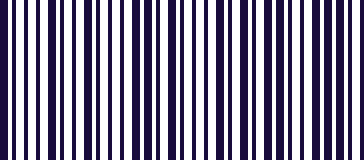
- Type
- Linear (1D)
- Encodes
- Digits only
- Common on
- Shelf-edge labels, warehouse bin and location labels
- Off by default
- Enable it under Settings → Scanning engine
MSI Plessey is numeric only and carries no clever structure, which is precisely why it survived. It was adopted for shelf labelling and inventory location marking, and once a retailer or warehouse has printed it onto thousands of shelf edges and bin fronts, there is no reason to change.
So it persists in places where the labels are internal rather than on products: the location codes a picker scans to confirm they are at the right bay, the shelf-edge tags a store uses for stock counts and price checks.
Because it is an internal format rather than a product-identification one, general-purpose scanning apps rarely bother with it — which is an awkward gap if your whole picking process depends on it.
Where you meet it
Shelf-edge labels and warehouse bin labels.
Can a phone scan MSI Plessey?
With TRAKWIND Scan selected, yes. It is off by default, so switch it on under Settings → Scanning engine. For a stock count or a bin audit the value then types straight into your spreadsheet or stock system, because the scanner is the keyboard.
How to scan it with your phone
- 1
Install Barcode & QR Scanner Keyboard from Google Play and enable it as a keyboard.
- 2
Open Settings → Scanning engine and choose TRAKWIND Scan.
- 3
Tap the barcode key on the keyboard and point the camera at the code.
This format ships switched off. Turn it on in the same Scanning engine screen before you scan.
The value is typed into whatever field you were already in — a spreadsheet, an ERP screen, a web form. There is nothing to integrate.

Read it with the phone in your pocket
Free on Google Play. No licence, no extra hardware, and nothing to connect.