EAN-8
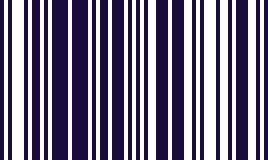
The short EAN, issued for packs with no room for the full one.
- Type
- Linear (1D)
- Encodes
- 8 digits, including a check digit
- Built for
- Small items where EAN-13 will not fit
- Managed by
- GS1
EAN-8 exists because EAN-13 is physically too wide for some packaging. A tube of lip balm, a single-serve confectionery item, a small tin: there is not enough flat surface to print thirteen digits at a size a scanner can read.
It is not simply a truncated EAN-13. The shorter numbers are issued separately and sparingly, precisely because the available range is small — a manufacturer has to justify needing one rather than just picking a shorter code.
In practice that means EAN-8 shows up on exactly the items you would expect: the ones small enough that the barcode is a meaningful fraction of the packaging.
Where you meet it
The short EAN, for packs too small to carry the full one.
Can a phone scan EAN-8?
Yes, with no configuration. The keyboard reads EAN-8 as standard and types the digits into whatever field you are in.
How to scan it with your phone
- 1
Install Barcode & QR Scanner Keyboard from Google Play and enable it as a keyboard.
- 2
Open Settings → Scanning engine and choose TRAKWIND Scan.
- 3
Tap the barcode key on the keyboard and point the camera at the code.
The value is typed into whatever field you were already in — a spreadsheet, an ERP screen, a web form. There is nothing to integrate.
Read it with the phone in your pocket
Free on Google Play. No licence, no extra hardware, and nothing to connect.