EAN-13
The barcode on almost everything you can buy.
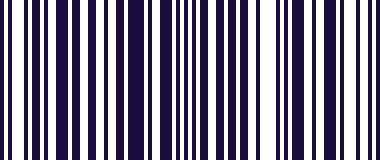
- Type
- Linear (1D)
- Encodes
- 13 digits, the last of which is a check digit
- Managed by
- GS1, which issues the number ranges
- Related
- UPC-A is the same system with 12 digits
EAN-13 is the one everybody pictures when they hear "barcode". It carries thirteen digits and nothing else — no price, no description, no batch. The number is a reference, and everything else about the product lives in a database keyed on it.
The digits are structured. A leading GS1 prefix identifies the numbering organisation that issued the range, the middle section identifies the company and the particular product, and the final digit is a check digit calculated from the rest. That last digit is why a misread is usually caught rather than silently accepted.
It is deliberately simple, which is why it has lasted. A symbol this plain can be printed by anything, scanned by the cheapest equipment, and read reliably at a till thousands of times a day.
Where you meet it
The barcode on nearly every retail product in Europe.
Can a phone scan EAN-13?
Yes — this is the format every scanning app handles, and the keyboard reads it out of the box with no settings to change. The difference here is where the number ends up: it is typed into whatever field you are already in, so it goes straight into your spreadsheet or stock system rather than into a scanning app you then have to copy out of.
How to scan it with your phone
- 1
Install Barcode & QR Scanner Keyboard from Google Play and enable it as a keyboard.
- 2
Open Settings → Scanning engine and choose TRAKWIND Scan.
- 3
Tap the barcode key on the keyboard and point the camera at the code.
The value is typed into whatever field you were already in — a spreadsheet, an ERP screen, a web form. There is nothing to integrate.
Read it with the phone in your pocket
Free on Google Play. No licence, no extra hardware, and nothing to connect.