Codabar
Still in service where changing the labelling would mean changing everything.
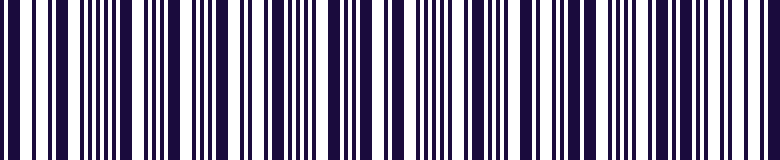
- Type
- Linear (1D)
- Encodes
- Digits and a small set of symbols
- Start and stop
- Letters A to D, which can carry meaning themselves
- Common in
- Blood banks, libraries, photo processing
Codabar is older than most formats still in daily use, and its survival is a story about switching costs rather than merits. Blood banks, libraries and laboratories adopted it early, built decades of records around it, and have had no reason compelling enough to re-label everything.
One quirk is genuinely useful: the start and stop characters are letters, and different letters can be used to signal what kind of item the code is on. A system can tell a donor identifier from a unit identifier before it has even parsed the digits.
It is self-checking in the same way Code 39 is, which matters in exactly the settings that adopted it — where a misread is not an inconvenience but a safety problem.
Where you meet it
Blood bags, film canisters and library books.
Can a phone scan Codabar?
Yes, as standard. The keyboard reads Codabar and types the value into the field you are in, which is useful in labs and libraries where the labels long predate the software they now have to feed.
How to scan it with your phone
- 1
Install Barcode & QR Scanner Keyboard from Google Play and enable it as a keyboard.
- 2
Open Settings → Scanning engine and choose TRAKWIND Scan.
- 3
Tap the barcode key on the keyboard and point the camera at the code.
The value is typed into whatever field you were already in — a spreadsheet, an ERP screen, a web form. There is nothing to integrate.
Read it with the phone in your pocket
Free on Google Play. No licence, no extra hardware, and nothing to connect.