Staging preview — not published. This page describes a format TRAKWIND Scan reads, so it stays unindexed until the release is confirmed.
DotCode
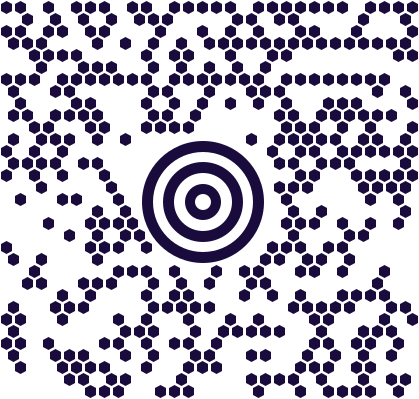
A code made of dots, because the printer cannot draw lines fast enough.

- Type
- Matrix (2D), built from discrete dots
- Built for
- High-speed inkjet printing on a moving production line
- Common on
- Cigarette packs, pharmaceutical cartons, beverage packaging
- Off by default
- Enable it under Settings → Scanning engine
Most 2D codes assume solid, continuous marking. A production line running at speed cannot deliver that: the printer is firing individual drops of ink at packaging moving past it, and the result is dots, not clean squares. DotCode was designed around that constraint rather than against it — the symbol is a pattern of separate dots, so it survives the printing method that produces it.
That is why it became the format behind tobacco track and trace, where every pack needs a unique identifier applied at line speed. The same logic applies to pharmaceutical cartons and beverage packaging, where serialisation requirements meet very fast production.
It is a demanding read. The dots are small, the contrast is often poor, and the surface may be curved or reflective — which is why so few scanners handle it well.
Where you meet it
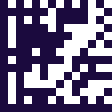
Printed at high speed on cigarette packs, pharma cartons and beverage packaging. The format behind tobacco track & trace.
Can a phone scan DotCode?
Hardly any can. TRAKWIND Scan reads DotCode, and it ships switched off, so turn it on under Settings → Scanning engine. If you are verifying tobacco or pharma serialisation, this is usually the format that sent you looking.
How to scan it with your phone
- 1
Install Barcode & QR Scanner Keyboard from Google Play and enable it as a keyboard.
- 2
Open Settings → Scanning engine and choose TRAKWIND Scan.
- 3
Tap the barcode key on the keyboard and point the camera at the code.
This format ships switched off. Turn it on in the same Scanning engine screen before you scan.
The value is typed into whatever field you were already in — a spreadsheet, an ERP screen, a web form. There is nothing to integrate.
Read it with the phone in your pocket
Free on Google Play. No licence, no extra hardware, and nothing to connect.